
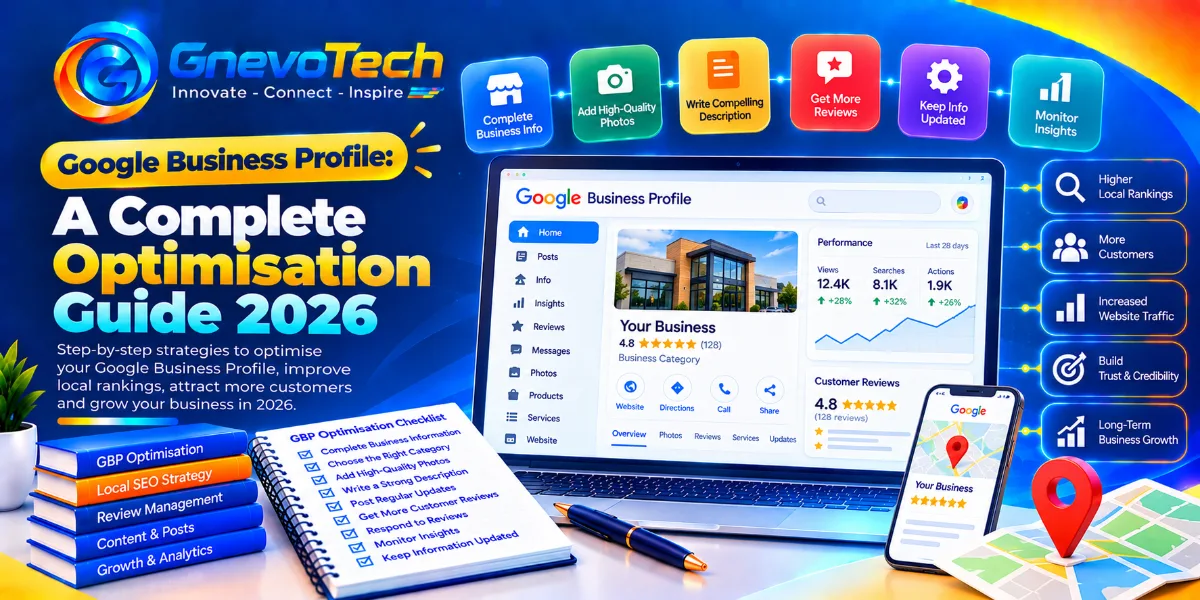
A boutique owner in C-Scheme once showed us her Google profile with a sigh. Three photos, one of them a blurry shot of the signboard. A description she’d copied from her Instagram bio. Opening hours that still said “closed on Sundays,” though she’d been open for months. Customers kept turning up at the wrong time and leaving annoyed reviews. She had built a lovely shop and left its most-seen online page to fend for itself. Owners in her position often start asking about local SEO services, but most of what a profile needs is free and sits in one dashboard.
Here’s the guide we’d follow, section by section.
The short version, and one honest note
If you only have a minute:
- Claim and verify your profile, and keep every detail accurate
- Choose one primary category with care
- Add real photos, services and a plain description
- Collect honest reviews and reply to all of them
- Check the profile every month, because things change
- Never use shortcuts that break Google’s rules
The honest note: nobody can promise a ranking or a particular result, and we won’t. Google changes its features and guidelines often, so check its official help pages before you act on anything here.
What a business profile actually is
It’s your free listing across Google Search and Maps. It shows your name, address, hours, phone number, photos, reviews and the services you offer. For many customers, it’s the first thing they see, and sometimes the only thing, before they call, message or ask for directions.
That’s why it deserves the attention you’d give a shopfront. A tidy window brings people in. A neglected one sends them down the road.
Step 1: Claim, verify and get the basics right
Start with the dull but essential details.
- Search for your business on Google and claim the listing, or create it if it doesn’t exist
- Complete the verification Google asks for
- Use your real business name, exactly as it appears on your signboard, without extra keywords
- Enter your address or service area accurately
- Set honest opening hours, including special hours for festivals and holidays
- Add your main phone number and website
Mistakes here cost real customers. A wrong number or an outdated closing time sends people away before they’ve met you.
Step 2: Choose categories and services with care
Your primary category tells Google what kind of business you are, so pick the one that best describes your main service. Add secondary categories only if they’re true.
- Browse the category list and choose the most specific and accurate option
- Review what competitors who rank well have chosen
- List your services or products with short, plain descriptions
- Add prices where it makes sense, and keep them current
- Remove services you no longer offer
A category that’s close but wrong can send you the wrong customers. Be honest and specific.
When it makes sense to get help
Plenty of owners handle all this themselves. Others run several branches, or simply don’t have the time. If you’re comparing a local SEO agency in Jaipur, a few plain questions keep the conversation honest.
- Can you show work for businesses like mine?
- Who will actually manage my profile and reviews?
- What will I receive each month, in plain terms?
- Who owns the profile if we stop working together?
- What can’t you control?
A good provider answers calmly and admits uncertainty. A weak one leans on jargon and guarantees.

Step 3: Write a description that helps people choose
You get a limited space, so use it for facts people actually want.
- What you do, in the first sentence
- Who you serve and where
- What makes you different, such as years of experience, specialties, or languages spoken
- A plain mention of the area, written naturally
Skip the capital letters, emojis and strings of keywords. Write the way you’d speak to a customer at your counter.
Step 4: Add photos and videos that show the real place
Photos are often what makes someone tap “call.”
- Upload a clear shopfront photo so people can spot you from the road
- Add interior shots, your team and your work in progress
- Show your products or finished results in good light
- Add short videos if they show something useful
- Refresh photos regularly, and remove outdated ones
Real photos beat stock images every time. If a customer arrives and the place looks nothing like the pictures, you lose trust at the door.
Step 5: Earn reviews and reply to them properly
Reviews help people decide and help Google judge how well known and trusted you are.
- Ask satisfied customers at the moment they’re happiest with a simple link or QR code
- Make it easy, because every extra step loses people
- Reply to every review, politely, including the critical ones
- Mention specifics in your replies, like the service or the area
- Never buy reviews, offer rewards for them or write your own
Google can remove fake or incentivized reviews, and a suspended profile costs far more than any shortcut gains. A calm, helpful reply to a bad review often earns more trust than a hundred five-star ones.
Step 6: Stay active
An active profile tells customers you’re open and alive.
- Post updates, offers and events when you have them
- Answer questions people ask on your profile
- Update hours before festivals, holidays and special closures
- Add new photos each month
- Check for edits suggested by others, because they can change your details
A profile that hasn’t changed in two years looks like a business that has stopped caring.
Local detail for Jaipur businesses
Jaipur searches are often tightly local: a colony, a landmark or a market. People mix Hindi and English, too, so “tailor near Raja Park” and “shaadi lehenga on rent” might be typed exactly that way. Use the words your own customers use in your service descriptions and replies, and mention the neighborhoods you serve.
Businesses with several branches, or owners short of time, sometimes look at local SEO services in Jaipur for profile management, listing cleanup, and monthly tracking. Ask the provider to explain their scope in writing and show similar work first.
Step 7: Keep your details consistent across the web
Your name, address and phone number should match everywhere: your profile, website, social pages and directories. Small differences, like “Rd” in one place and “Road” in another, can create confusion.
- Pick one correct version of each detail
- Update your website and social pages to match
- Fix or remove old listings with outdated numbers
- List the business in respected local and industry directories
- Recheck every few months

Step 8: Use your website to support the profile
Your profile points to your website, and your website should reinforce the profile.
- Create a clear page for each main service, with real details
- Add your address, phone number and a map on a contact page
- Mention your area naturally
- Make the site fast and easy to read on a phone
A profile and a website that tell the same story are easier for customers and for Google to trust.
How to measure what’s working
Your profile shows useful numbers. Look at them monthly.
- How many people found you by searching for your business name, and how many by searching for a service
- How many calls, direction requests and website clicks did you got
- Which photos, posts and questions get attention
- How your review count and rating are changing
- Whether real inquiries are rising, not only views
Keep notes on what you changed and when. Give changes a few weeks before judging.
What not to do
Some shortcuts do real damage.
- Adding keywords to your business name
- Using a fake or virtual address to appear closer
- Creating duplicate profiles for the same location
- Buying reviews or posting your own
- Ignoring negative reviews
- Letting other people edit your profile without checking
Google can suspend profiles that break its rules, and recovery is slow. Steady, honest work protects what you’ve built.
Claims worth treating with care
You’ll see plenty of agencies calling themselves number one. When you come across the best local SEO agency in Jaipur, treat the phrase as a reason to ask more questions, not as proof. Read real case studies, speak with a past client if you can and get terms in writing. Be careful with guaranteed rankings, instant results or a quote that doesn’t say what’s included.
A thirty-day starting plan
You don’t need a big budget to begin.
- Week one: Claim and verify the profile, then fix the name, category, hours and contact details
- Week two: Add services, a clear description and fresh, real photos
- Week three: Set up a simple way to ask for reviews and reply to all existing ones
- Week four: Check your details across directories, then begin monthly tracking
Then repeat the cycle each month.
Conclusion: A Profile Is a Shopfront That Never Closes
Your Google Business Profile works around the clock, so it should say the right things at every hour. Keep the details accurate, choose your category carefully, show real photos, earn honest reviews and stay active. And be wary of anyone who promises certainty in a field that keeps changing.
At Gnevotech, we help local businesses become easier to find and easier to trust, so visibility grows from solid foundations and not from shortcuts.
Frequently Asked Questions
1. How do I claim my Google Business Profile?
Search for your business on Google or Maps and follow the prompts to claim it, or create a new listing. You’ll then complete the verification step that Google requires.
2. How often should I update my profile?
Check it monthly at minimum. Update hours before festivals and holidays, add fresh photos regularly and respond to reviews promptly.
3. Can I put keywords in my business name?
No. Use your real business name as it appears in everyday use. Adding extra keywords breaks Google’s guidelines and can lead to suspension.
4. Do photos and posts really make a difference?
They help customers decide and show that the business is active. Real, recent photos build trust, while outdated or stock images can hurt it.